
There are currently three prompt types available:
-
Patent Bots Prompts
-
Organization Prompts
-
Your Custom Prompts
Thus, you can use any of the prompts Patent Bots or your admin provided, or create your own prompt by clicking on "Create Gen AI Prompt" within Your Prompts section.
By switching "Tag AI-generated text" on or off, you decide whether the response is added into your document with or without the AI generated tags.
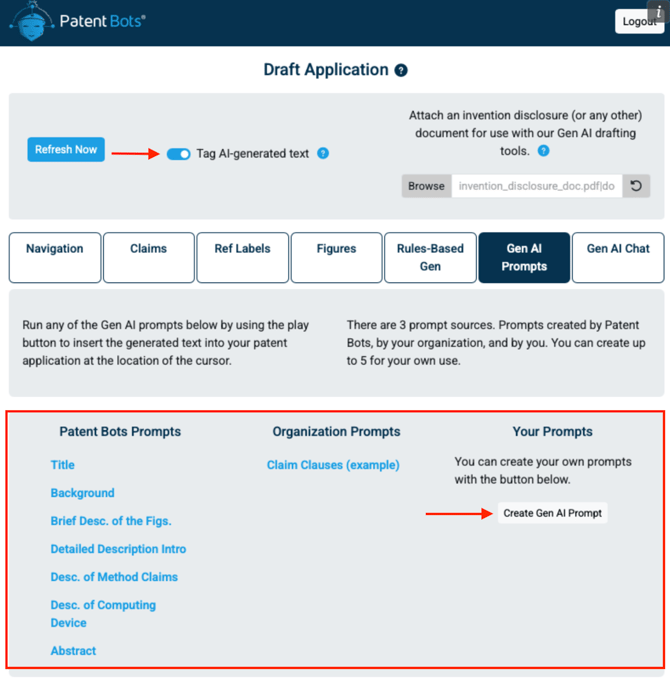
Once you hover your mouse over any of the prompts, two buttons will appear: the play button to run the prompt and the eyeball to view it. Once you click on the play button, the generated text will be automatically inserted into your patent application at the location of the cursor.
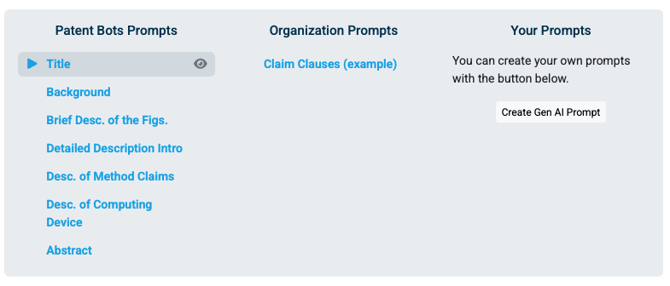
When the eyeball is selected, you can view the text of the prompt as follows:
.png?width=670&height=315&name=image%20(1).png)
All of our Gen AI tools have zero data retention. Although we are processing your Word document and a provided invention disclosure document, this information is never stored on a server.
Patent Bots Prompts
We provide seven prompts for you called "Title", "Background", "Brief Desc. of the Figs.", "Detailed Description Intro", "Desc. of Method Claims", "Desc. of Computing Device", and "Abstract". These are simple prompts to generate portions of your application from the text of your claims as well as prompts to draft portions of the detailed description and the brief description of the figures.
These are the primary features of our custom prompts:
- We automatically provide the Gen AI model with the content of your patent application and invention disclosure document so that it has the information it needs to answer your question.
- For asking precise questions, we have the following placeholders: {{CLAIMS}}, {{INDEPENDENT_CLAIMS}}, and {{FIRST_CLAIM}}. If you don't use one these placeholders, we will include all of your claims at the beginning of the prompt.
- To make the Gen AI responses more useful, we recommend including language like this near the end of your custom prompts:
Only provide the requested answer. Do not add any explanations. Do not offer to provide other information.
Organization Prompts
Your subscription admin can add prompts for you on the subscription management page. After the prompts are saved, they will be available to all users at your organization.
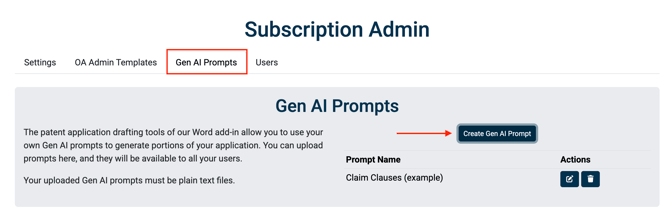
On this same page, the admin can also update or delete any of the existing organization prompts using the respective icons.

Your Prompts
You can create your own Gen AI prompts and then easily use them from Microsoft Word across all of your work. Using custom prompts allows you to implement your own style and enforce consistency across all of your work.
Your custom prompts will include the current text of your patent application in Word, and you can optionally provide an invention disclosure document. This allows you to provide the Gen AI model with the information needed to provide high-quality responses to your prompts.
What Gets Sent to our AI Models
The prompt that you upload is the starting point for building a more complete prompt that we send to the Gen AI model. Here is what actually gets sent:
Below are portions of a patent application that you may use in assisting with the drafting of portions of a patent application.
CLAIMS:
[We insert the claims from your Word doc. This section is skipped if we don't find any claims or if you use one of our claims placeholders in your prompt (to avoid repetition).]
SPECIFICATION:
[We insert the full specification from your Word doc. Everything except claims.]
INVENTION DISCLOSURE DOCUMENT:
[If provided, we insert the text of your invention disclosure document. This section is skipped if not provided.]
[Your prompt is placed here. The Gen AI model can use any of the above information in following your instructions.]